
 ABSign for iOS · v1.8.0 just shipped
Sign from anywhere.
Even from abroad.
ABSign puts cross-border contracts in your pocket — ready-made templates for renting, trade, purchase and work, plus signing, sealing and notarization. No printer, no scanner, no waiting for the embassy to open.
The one-thumb close
A signature that fits in your thumb
Open the template, draw once, done. This is roughly what three seconds inside ABSign looks like.
Includes a short celebration when the last signature lands — then choose how to tell the other party.
How it works
Three taps between “we agreed” and “it’s signed”
Everything happens on the phone — including the part where you used to need a printer.
Pick a template or drop in a file
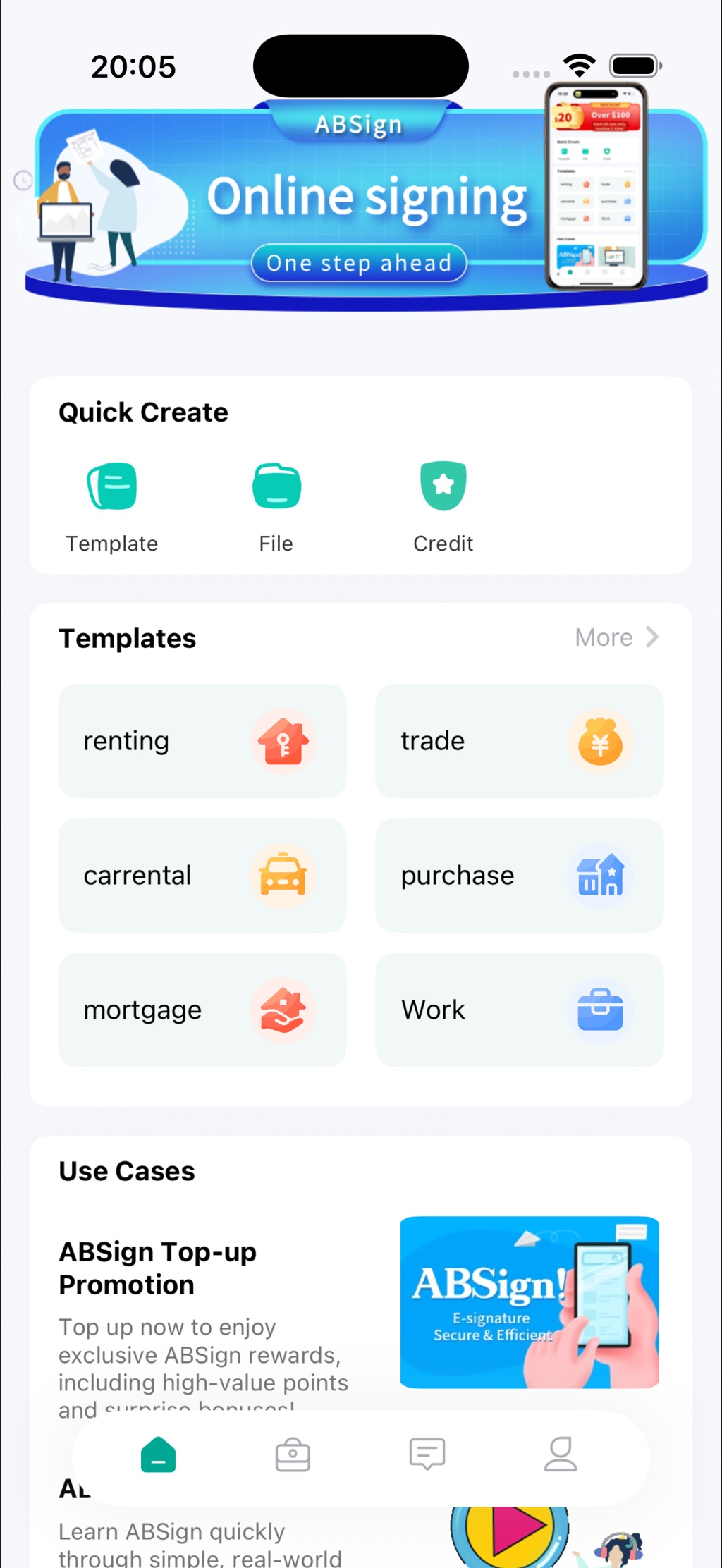
Start from ready-made contracts for renting, trade, purchase, mortgage and work — or upload your own document from Files.
Sign, seal, send
Draw your signature on screen, add your seal, and send it across the border in seconds — with verification built in.
Track it to the end
See what’s waiting for payment, waiting for your signature, or already active — and set a reminder date on anything signed.
Inside the app
Built for the paperwork real life actually sends you
Not a demo warehouse — the templates map to situations people genuinely sign across borders.
Real-life template library
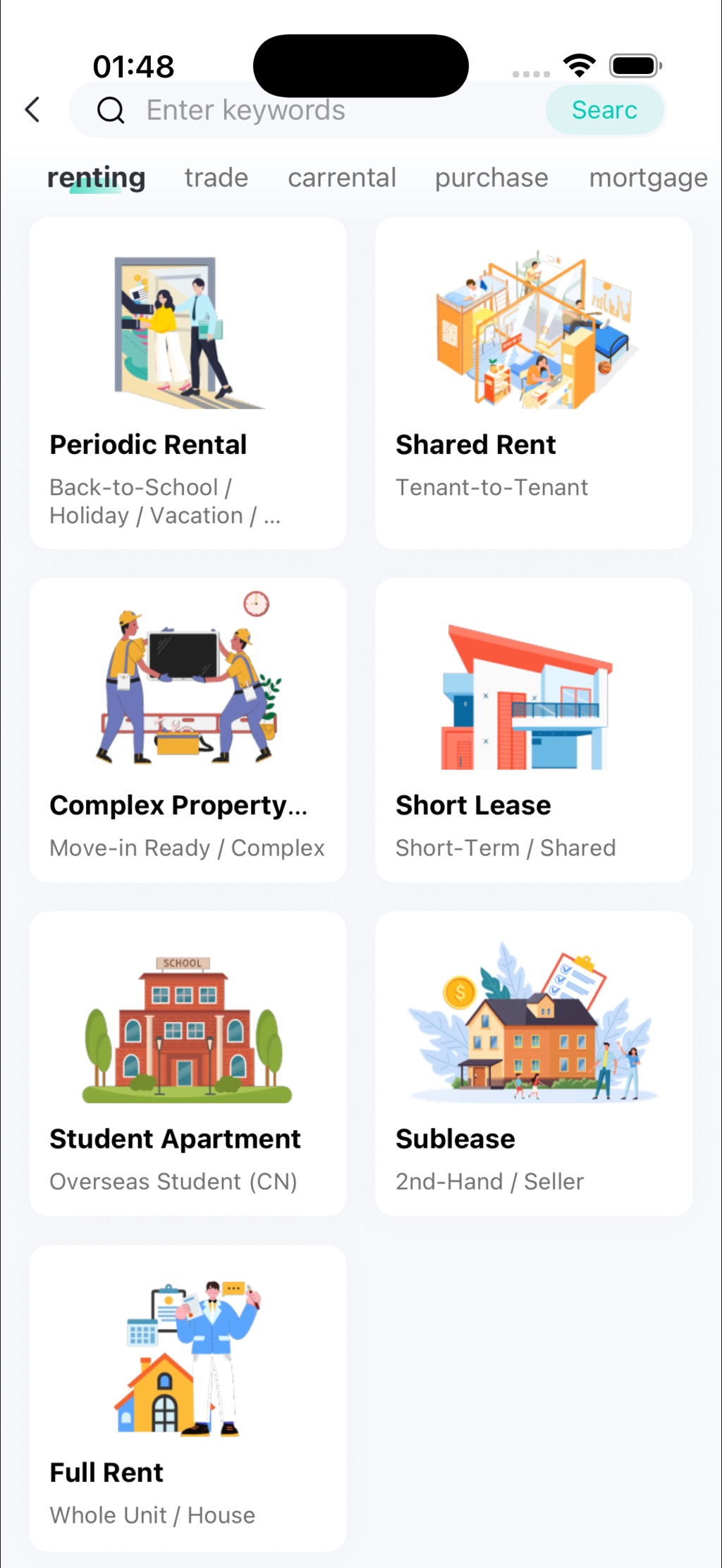
Periodic rental, shared rent, student apartment, sublease, short lease, trade, purchase, car rental, mortgage, work — tagged and searchable.
Quick Create
Three buttons on the home screen: start from a Template, open a File, or check your Credit. Nothing hidden in menus.
Contracts at a glance
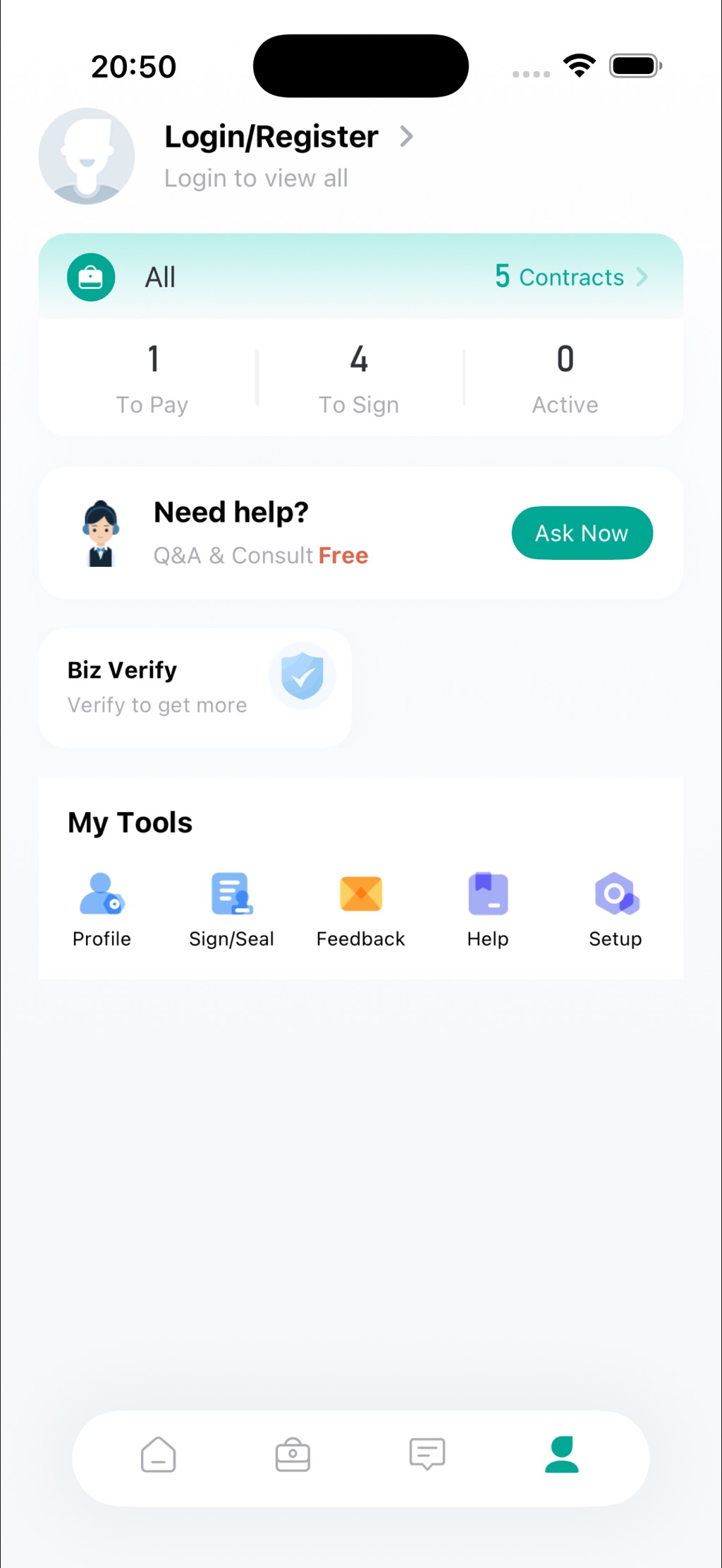
To Pay, To Sign and Active counters right on your dashboard, with one-row alerts and unread totals. Tap a notification to jump straight to the contract.
Sign & Seal
Draw your signature and apply a seal from My Tools. Enterprise contracts show up on the same contract page — no separate login dance.
Ask Now support
Stuck on a clause? Q&A and consult are built into the app and free to start — help while the deal is still warm.
Free in appBiz Verify
Verify your business identity once to unlock higher limits and enterprise features — “verify to get more”.
Screens
What you’ll actually see
Real screens from the current release — no mockups, no promises.
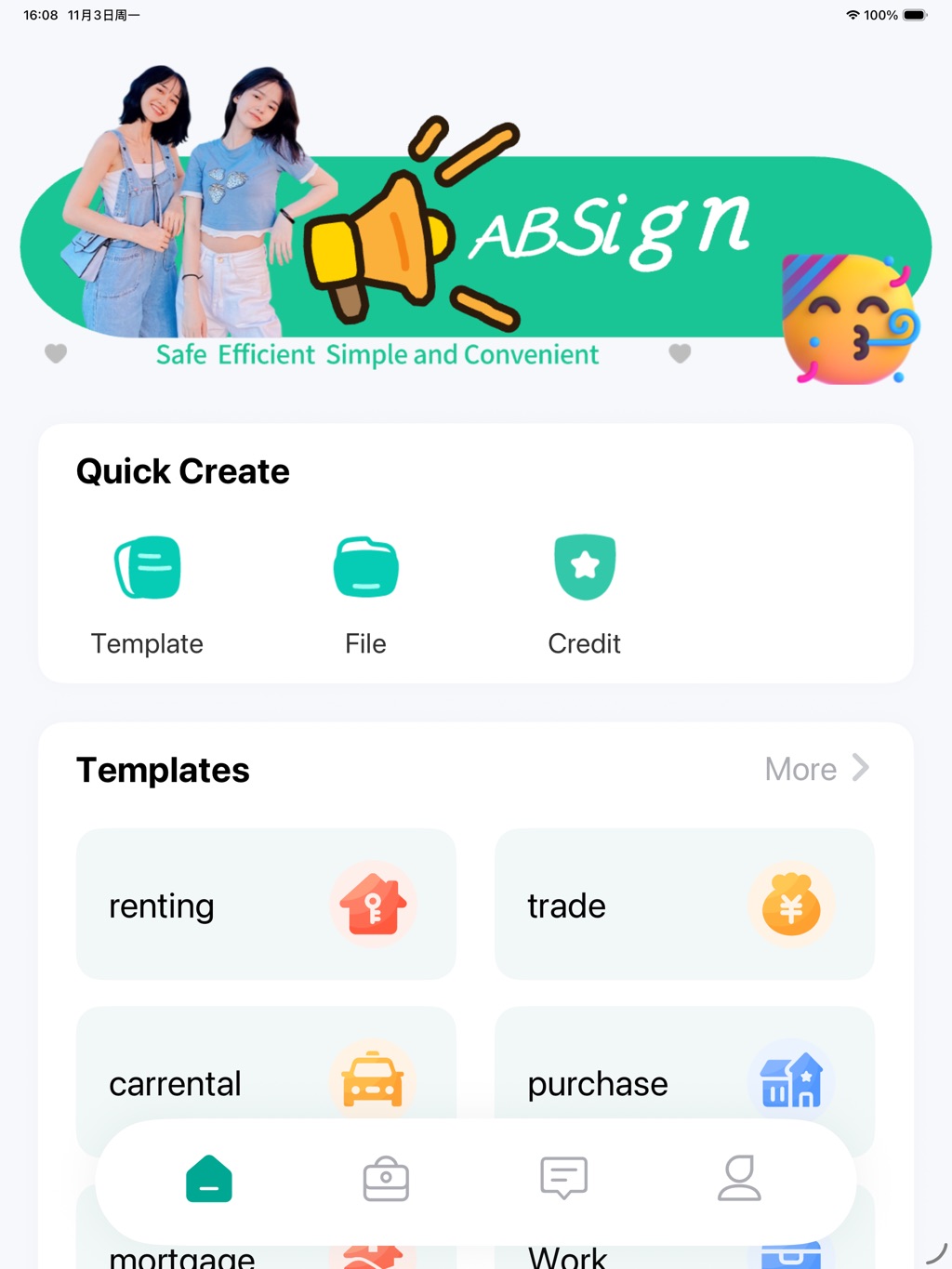
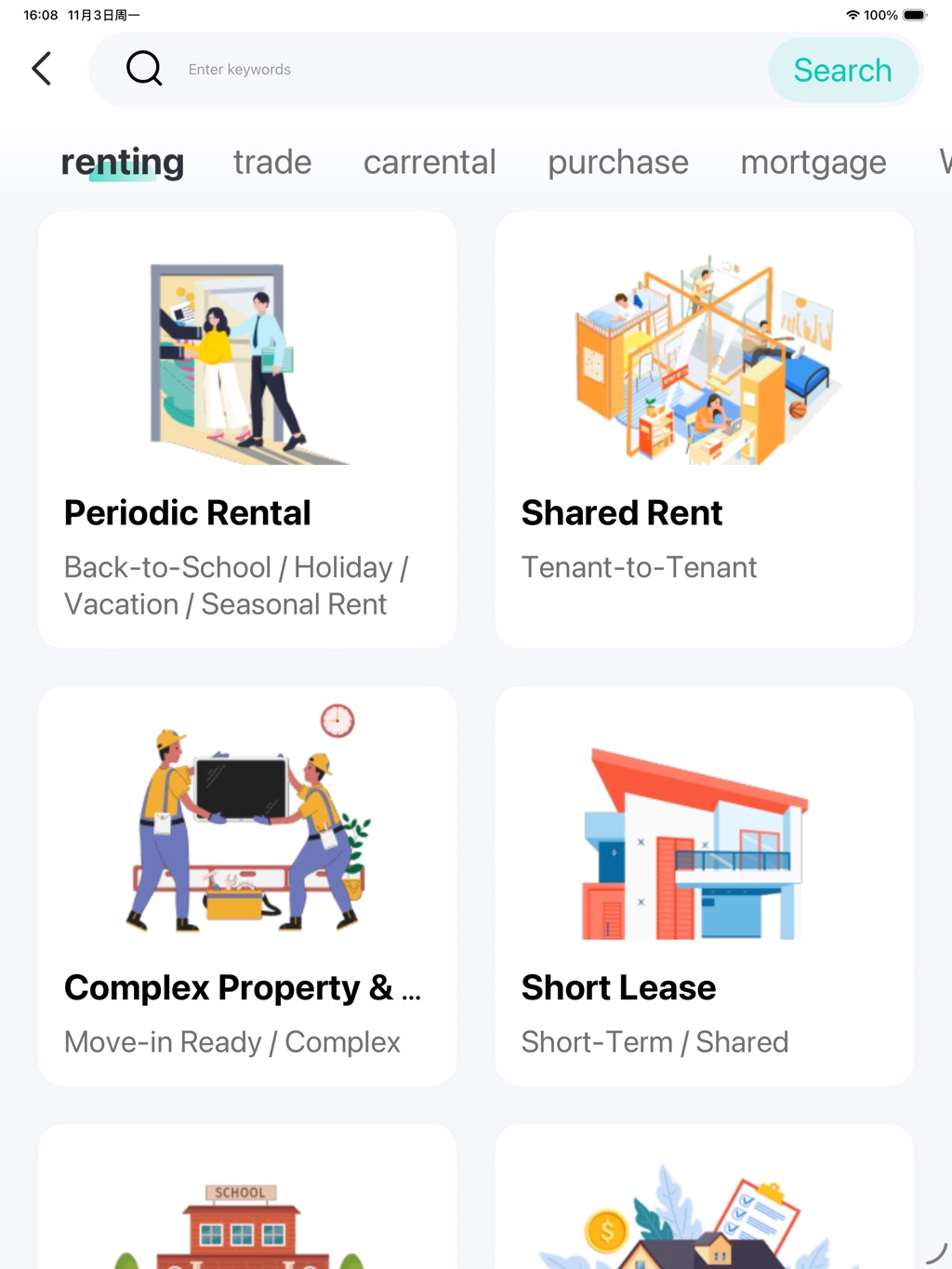
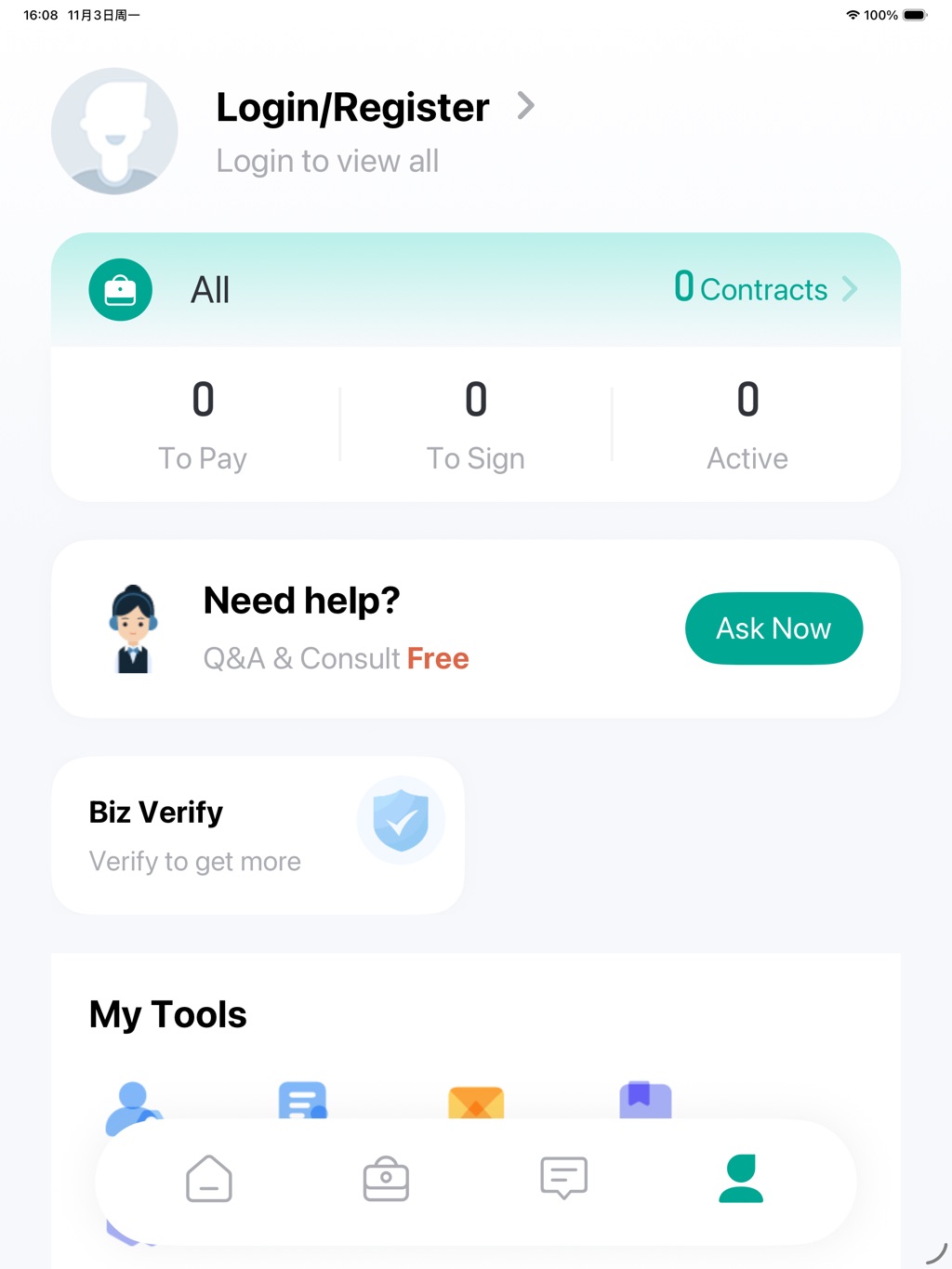
Same workspace on iPad Pro 13″ — bigger canvas for long contracts.
Fresh in v1.8.0
Shipped 6 October 2026
- A short celebration when your signature completes the contract — then choose how to tell the other party.
- Set your own reminder date on any signed contract.
- Pay or delete unpaid contracts directly from the contract list.
- Enterprise contracts now appear on the contract page.
- Contract alerts and system messages, each on one row with an unread total.
- Tap a notification to open the related page instantly.
Made for
Where ABSign gets used
The app was built for people whose paperwork crosses a border — and whose printer doesn’t.
The fine print, up front
Straight answers
Is ABSign free?
The app is free to download from the App Store. Signing features work out of the box; paid plans cover higher volumes and team features. See ABSign app plans.
Is there an Android version?
Not yet. ABSign is currently iOS-only, on iPhone and iPad. The web platform at abroadsign.com works in any mobile browser in the meantime, and we’ll announce Android here when it ships.
What language is the app in?
The interface is in English today. More languages are on the roadmap — the contract templates themselves already cover cross-border scenarios used by Chinese and international users.
How safe is my contract?
Documents are encrypted in transit, signatures are tied to verified identity data, and the in-app Biz Verify flow adds business-level verification. The full detail lives on our Compliance & Security page.
Does it do notarization?
Yes — ABSign offers online contract signing and notarization services alongside signing, so an agreement can go from draft to notarized without leaving the app. Read the remote online notarization guide.
Do I need an account to try it?
You can browse templates and explore the app right away; signing and contract tracking ask you to log in or register so your documents stay attached to you.
ABSign iOS app · developed by Bozhou Yixiang Business Consulting Services Co., Ltd. · Apple and the App Store are service marks of Apple Inc.
Questions before you download? Talk to us.